Getting Started
Actually we create a website in django which can have many apps. Let's discuss this concept before moving forward. Suppose there is a website named School Management System. It can have many app such as teacher, student, staff, admin
Create an App
TO create an app in django is too much easy, just run following command and django will create all the required modules for you. Note that the app is not registered in the project automatically — we will add it to INSTALLED_APPS later in this topic.
python manage.py startapp blog
That’ll create a directory named blog in root directory of project, which is laid out like this:
blog/
    __init__.py
    admin.py
    apps.py
    migrations/
        __init__.py
    models.py
    tests.py
    views.py
To create your app, make sure you’re in the same directory as manage.py and type above command.
Write your first view
Let’s write the first and simplest view function.
from django.http import HttpResponse


def home(request):
    return HttpResponse("Hello, World. You're at the blog's home Page.")
django.http.HttpResponse is a class in the Django web framework that is used to return HTTP responses from a view function. It takes a string as its first argument, which is the content of the response, and returns an HTTP response object.
Write URL for blog App.
To call above view, we need to map it to a URL - and for this we need a URLconf.
To create a URLconf in the blog directory, create a file called urls.py. Your app directory should now look like:
blog/
    __init__.py
    admin.py
    apps.py
    migrations/
        __init__.py
    models.py
    tests.py
    urls.py
    views.py
In the blog/urls.py file include the following code:
from django.urls import path

from . import views

urlpatterns = [
    path("home/", views.home, name="home"),
]
django.urls.path is a function in the Django web framework that is used to define a URL pattern for a view function. It takes two or more arguments: the URL pattern as a string, and the view function that should be called when the URL pattern is matched.
In this example, we're importing the path function from django.urls, as well as a views module that contains a home function. We're then defining a URL pattern that matches the string 'home/' in the URL. When a request is made to this URL, Django will call the home function to handle the request.
The name argument is optional, but it's a good practice to include it so that you can refer to this URL pattern by name in other parts of your code. For example, you might use the reverse function to generate a URL for this pattern dynamically.
Note that the urlpatterns variable is a list of URL patterns, so you can define multiple patterns in the same file.
So far I have created the urls.py file for my app but it needs to be registered in the project.
To register it in project, add an import for django.urls.include and include following code in myProject/urls.py.
path("blogs/", include("blog.urls")),
Now your file should look like:
from django.contrib import admin
from django.urls import include, path

urlpatterns = [
    path("admin/", admin.site.urls),
    path("blogs/", include("blog.urls")),
]
The include() function allows referencing other URLconfs such as blog/urls.py. Whenever Django encounters include(), it chops off whatever part of the URL matched up to that point and sends the remaining string to the included URLconf for further processing.
Since blog has its own URLconf (blog/urls.py), they can be placed under “/blogs/”, or under “/my_blogs/”, or under “/app/blogs/”, or any other path root, and the app will still work.
Register your App in Project
Add following code in myProject/settings.py under INSTALLED_APPS
'blog',
Your Installed app will look like this:
INSTALLED_APPS = [
    'django.contrib.admin',
    'django.contrib.auth',
    'django.contrib.contenttypes',
    'django.contrib.sessions',
    'django.contrib.messages',
    'django.contrib.staticfiles',
    'blog',
]
Start Server
You have now wired a view function into the URLconf. Start Server to Verify it’s working with the following command:
python manage.py runserver
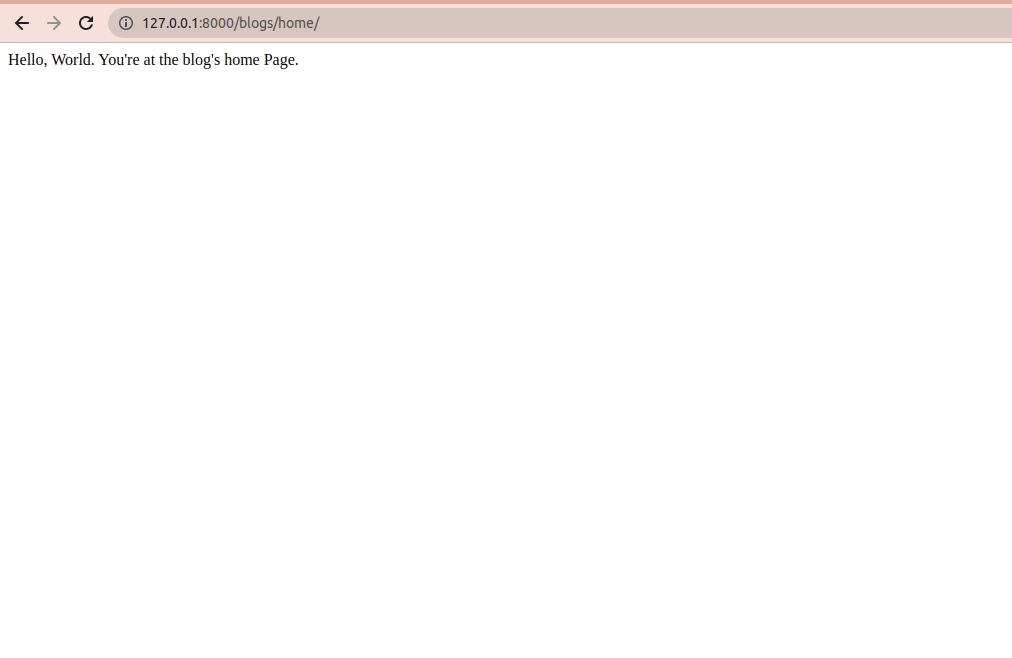
Hit on http://127.0.0.1:8000/blogs/home/ and you will get following response in browser.