MongoDB with Mongoose
Before we start
JavaScript is considered the top web development language today, running in millions of applications and websites. One of the building blocks for the JavaScript stack, in many of its variations, is REST API-based communication between the front-end and back-end tiers.
A popular way of implementing the REST API approach uses Express JS as the back-end web server and MongoDB as the document store. This concept easily maps MongoDB's document model to the REST API payloads which are JSON by nature.
Before we dive into the details of how to use MongoDB with Express JS, let's first understand what Database and MongoDB are. Then we will see how to use MongoDB with Express JS in the next section.
What is a Database?
A database is a structured collection of data that is stored electronically. Databases are designed to allow for efficient storage, retrieval, and manipulation of large amounts of data. The data in a database is typically organized into tables, which consist of rows and columns, with each column representing a different field or attribute of the data.
Databases can be used for a wide variety of purposes, such as storing customer information for a business, keeping track of financial transactions, or storing information for a website or mobile app. There are different types of databases, including relational databases, document databases, graph databases, and key-value databases. Each type has its strengths and weaknesses and is better suited for different types of data and use cases.
We have various types of databases, such as:
- Relational databases (MySQL, PostgreSQL, Oracle, etc)
- Document databases (MongoDB, CouchDB, etc)
- Graph databases (Neo4j, etc)
- Key-value databases (Redis, etc)
- Object-oriented databases (Couchbase, etc)
- Column-oriented databases (HBase, etc)
- etc
Let's see what MongoDB is.
What is MongoDB?
MongoDB is a popular, open-source (written in C++), NoSQL database management system that is widely used for big data, real-time analytics, content management, and mobile apps. Instead of using tables and rows like traditional relational databases, MongoDB stores data in collections of JSON-like documents with a flexible schema. This document-based approach allows for more flexible and scalable data modeling.
MongoDB is built on a distributed architecture, allowing for horizontal scaling by sharing data across multiple servers. This allows for virtually limitless horizontal scalability, making MongoDB well-suited for large-scale, high-performance systems.
We've already seen that MongoDB is a NoSQL database, but what exactly is NoSQL? Let's take a look at that next.
What is NoSQL?
NoSQL is a non-relational database that stores data in a format other than the traditional row-column format and is designed to handle large amounts of data and provide high performance, high availability, and automatic scaling. NoSQL databases are often used for big data, real-time analytics, content management, etc.
Why use NoSQL?
NoSQL databases are built to allow the insertion of data without a predefined schema. This makes NoSQL databases ideal for storing and processing unstructured data.
Why use MongoDB?
MongoDB is a document database, which means it stores data in JSON-like documents. I believe this is the most natural way to think about data, and is much more expressive and powerful than the traditional row/column model.
Terms
While discussing MongoDB, you will be hearing a lot of terms that you might not be familiar with. Now let's take a look at some of the most important terms that you need to know:
Check the above diagram ☝️. The database is made up of collections, which are made up of documents and documents are made up of fields, which are made up of values.
Database
In MongoDB, a database is a logical container for collections. The data in a database is typically organized into collections, which consist of documents and fields, with each field representing a different attribute of the data.
Collection
A collection in MongoDB is a group of documents that are stored together. It is similar to a table in a relational database, but unlike tables, collections do not enforce a strict schema which means that documents in a collection can have different fields.
Collections can be queried to do operations like find, insert, update, and delete documents from the collection. Queries can be done using the MongoDB query language, which is similar to SQL but more flexible.
Collections also support various options like index, which can be created on one or more fields to improve the performance of queries. MongoDB also supports the ability to create a unique index on one or more fields, which ensures that no two documents can have the same value for that field.
Document
A document is a single unit of data that is stored in a collection. It is similar to a row in a table in a relational database, but unlike rows, documents can have different fields and structures. The document is represented as a JSON-like object, which is a set of key-value pairs. Each key represents a field or attribute of the data, and the value is the data for that field.
MongoDB stores data in a BSON (binary JSON) format, which is a binary representation of JSON documents. BSON allows MongoDB to store additional data types such as date, binary data, and decimal128.
Documents in MongoDB can have one or more fields, and the values of these fields can be of different data types, such as string, number, boolean, array, object, null, date, binary data, decimal128, etc, which are all supported by BSON.
Example:
{
  "name": "Rizwan",
  "age": 25,
  "address": {
    "street": "123 Main St",
    "city": "Rahim Yar Khan",
    "state": "Punjab",
    "country": "Pakistan"
  }
}
Field
A field is a key-value pair that is stored in a document. It is similar to a column in a table in a relational database, but unlike columns, fields can have different data types and structures.
Example:
{
  "name": "Ashiq"
}
In the above example, the field name has the value "Ashiq".
Primary Key
In MongoDB, the _id is a unique identifier for each document, which is similar to the primary key in a relational database. It is automatically added by mongoose to each document. It is a 12-byte value consisting of:
It looks like this:
{
  "_id": "5f8b1f8a2b4d9b1b2c1b2c1b"
}
- 4-byte value representing the seconds since the Unix epoch,
- 3-byte machine identifier,
- 2-byte process id, and
- 3-byte counter, starting with a random value.
_id is in hexadecimal format, so 12 bytes = 96 bits = 24 hexadecimal digits. 2 hexadecimal digits = 1 byte.
Now, you might be wondering why we need a unique identifier for each document. The answer is simple. We need to be able to identify each document uniquely. For example, if we want to update a document, we need to know which document we want to update. We can do this by using the _id property.
Index
An index is a data structure that improves the speed of data retrieval operations on a database table at the cost of additional writes and storage to maintain the index data structure. Indexes are used to quickly locate data without having to search every row in a database table every time a database table is accessed. Indexes can be created using one or more columns, or keys, in a database table. The more columns included in the index, the less selective the index is. The more selective the index, the more likely it is that the index will be used by the query optimizer when executing a query.
Getting Started
Now that we have a basic understanding of MongoDB, let's get started with the installation and setup.
Installation
To be able to use MongoDB on your local machine, please download the (free) MongoDB Community Server from the official website
MongoDB is also available as a service on MongoDB Atlas, which is a fully managed cloud database service that is available on AWS, Azure, and GCP.
Compass GUI
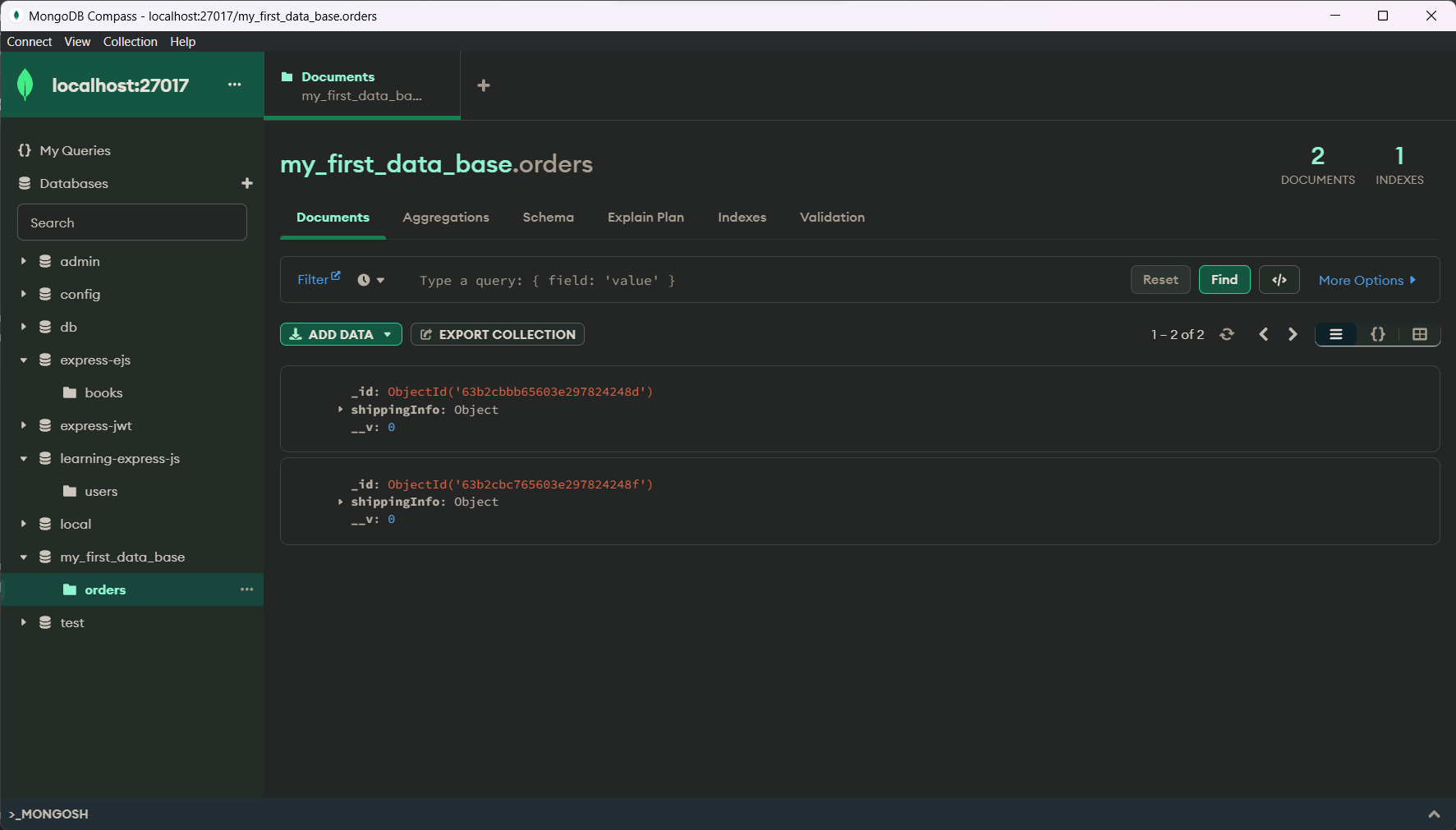
MongoDB also provides a GUI called MongoDB Compass, which can be used to manage MongoDB databases. Can be downloaded from the MongoDB website.
What's Next?
Now that you have MongoDB installed, you can start using it to store and retrieve data. In the next article, we'll learn about What is mongoose and how to use it in Express.js.
Conclusion
In this article, we learned about MongoDB, a cross-platform, document-oriented database that stores data in a format that is similar to JSON. We also learned about the terms used in MongoDB, such as collections, documents, and fields. We also learned how to install MongoDB and MongoDB Compass.