View Engines
Before we start
So far, we have used Express to create APIs. But what if we want to create a web application? How can we render dynamic HTML pages in Express? What will happen if I want to send the response in HTML format? Like this 👇
app.get("/", (req, res) => {
  res.send(`<h1 style="color:red">Hello World</h1>`);
});
Will it work? Yes, it will work.
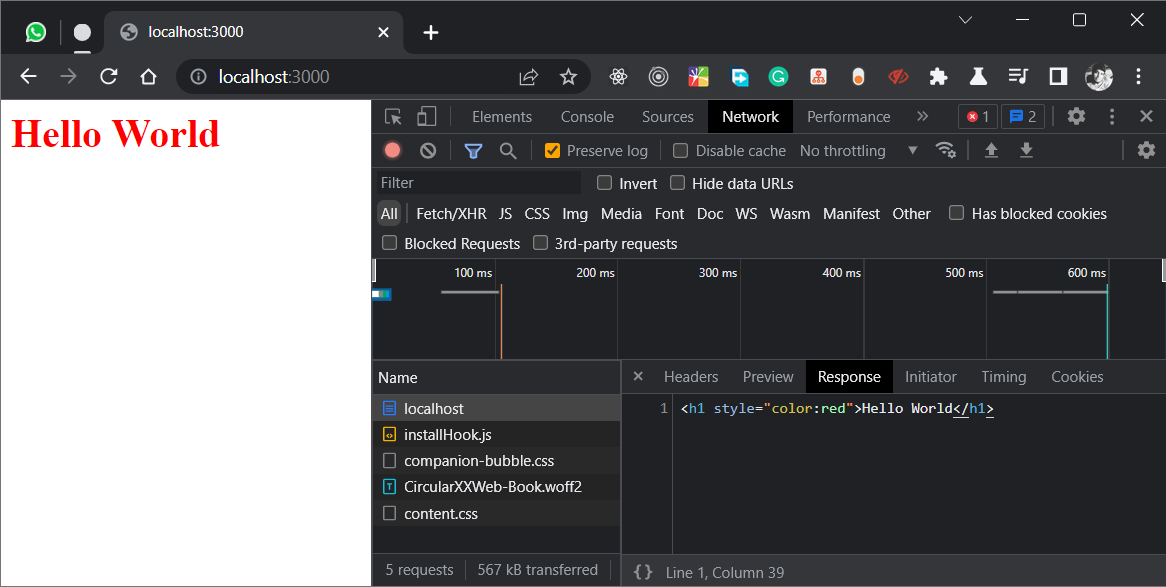
Can I send a complete HTML page? Yes, but using res.send with a plain HTML string as a parameter is not a scalable or maintainable approach for rendering HTML pages in an Express.js application. Some disadvantages include:
- Lack of Template Inheritance: With
res.send, there is no concept of template inheritance or layout templates that can be reused across multiple pages, making it harder to maintain a consistent look and feel for your application. - Limited Dynamic Content: While you can use JavaScript to dynamically generate HTML, it can be difficult to build dynamic pages with complex logic, especially when dealing with large amounts of data.
- No Support for Data Validation: With
res.send, there is no built-in support for validating user input or form data, which can lead to security vulnerabilities in your application. - Hard to Test: It can be difficult to write automated tests for HTML pages rendered using
res.send, as you have to test the entire HTML string instead of individual components or templates. - Performance Overhead: The process of generating an HTML string can be slower than using a template engine, especially when rendering large pages with complex logic.
So, what is the solution? 😒
The answer is view engine 😊, which is more flexible, scalable, and maintainable than using res.send to render HTML pages in an Express.js application. View engines use templates like HTML or XML to generate dynamic web pages. They allow you to use static template files in your application and inject dynamic content into them from your Express.js routes. View engines are also commonly referred to as template engines, and they are often used in conjunction with a templating language. Templating languages are used to define the syntax and logic for templates, and they are often used to generate HTML pages. Some popular templating languages include EJS, Handlebars, and Pug.
Let's learn about the view engine in Express.
What is View Engine
A view engine in Express is a template engine that is used to generate dynamic HTML pages based on data from your application. The view engine is responsible for rendering HTML templates and replacing placeholders in the templates with dynamic data.
Why do we need
View engine allows Express to render dynamic HTML pages based on passing arguments to templates. It is a way to generate HTML markup with plain JavaScript. It makes it easier to use reusable parts of code in your application.
Frontend frameworks vs View Engine
Frontend frameworks and view engines in Express have different purposes and are not directly replaceable with each other.
You should use a view engine in Express when you want to render server-side HTML templates based on data from your application and send the rendered HTML to the client as a response to HTTP requests. View engines are particularly useful when you want to build simple websites or web applications with a small amount of dynamic content.
On the other hand, you should use a frontend framework like React, Vue, or Angular when you want to build dynamic and interactive user interfaces that run in the browser. Frontend frameworks provide a rich set of components, templates, and tools for building modern, single-page applications that can interact with APIs and provide a seamless user experience.
In general, you should use a view engine in Express for rendering server-side HTML pages, while using a frontend framework for building client-side applications. Both view engines and frontend frameworks have their strengths and weaknesses, and the choice of which one to use depends on the specific requirements of your project.
Conclusion
Enough of theory, let's start with the code. In the next blog, we will learn about the EJS view engine.